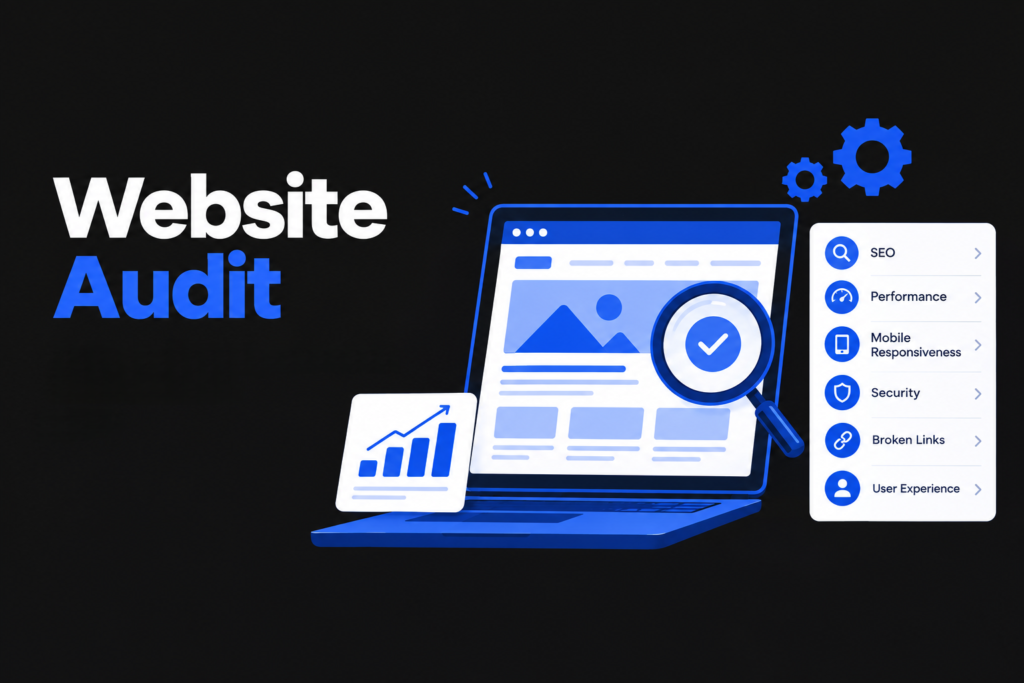
A website can look great and still get few visitors from Google. The cause may sit behind the page, or outside your site, like competitors. Some problems below can hold rankings back. Others mainly annoy visitors. Each one is still worth a look.
Googlebot is Google’s web crawler. It visits your pages, which is called crawling. After that, Google studies what is on the page and decides whether to store it in its index. Pages missing from the index cannot appear in results.
I am a performance marketer in Kannur. When a site brings in few enquiries, an audit is one of the first things I look at. This website audit checklist covers 15 common problems and how to spot and fix each one.
What Is a Website Audit?
A website audit is a health check for a website. You look at how well it works technically, how useful the content is, how easily Google can crawl and understand the pages, and which sites link back to it.
You won’t need coding skills for the bulk of these checks. Free tools like Google PageSpeed Insights and Google Search Console cover a lot of ground on their own.
How Google Finds Your Pages
A few parts connect to almost every issue below.
- Indexing. If Google has not saved a page in its index, searchers will not see it in normal results.
- Robots.txt. A small text file that gives crawlers a list of places on your site to stay out of. It controls crawling, not indexing, and does not keep content private, so use a password for that. To keep a public page out of results, use a noindex tag, and do not block that page in robots.txt, or Google cannot see the tag.
- XML sitemap. A file with the URLs that you want crawled. Google treats it as a suggestion and may skip pages.
- Canonical tags. A canonical tag tells Google which address to treat as the main one when the same page can be reached through several URLs. Google treats it as a hint and may choose another.
Check them in the Pages report and the URL Inspection tool in Search Console.
The 15 Issues to Check
1. Slow Page Speed
A slow page can frustrate visitors, and some leave before they read a word. Spot it: use PageSpeed Insights or GTmetrix. Common causes are big images, heavy code, and a slow server.
Fix it: resize images, compress them with Squoosh or TinyPNG, turn on caching, and remove unused plugins.
2. Poor Mobile Experience
Not every mobile problem affects rankings directly. Still, Google mainly uses the mobile version of your content for mobile-first indexing. If the phone version leaves out some text or images, Google may never see them. Spot it: open your site on a phone or run a Lighthouse mobile test.
Fix it: use a responsive theme, readable text, and space between buttons.
3. Missing or Duplicate Title Tags
Searchers see the title as the headline of your result, and they click it to visit. Google creates title links automatically. It usually starts with your title tag but may use other signals on the page. Spot it: crawl your site with Screaming Frog (free up to 500 URLs) and open Page Titles.
Fix it: give every page its own title, about 60 characters as a guide, not a Google rule. Put the main phrase first, like “Website Audit Service in Kannur | Your Brand”.
4. Missing Meta Descriptions
Sometimes Google shows your meta description under the title, and sometimes it writes its own. A clear, unique one can help a searcher decide to click, though Google does not use it as a direct ranking factor. Spot it: check the Meta Description tab in Screaming Frog.
Fix it: write a short, honest preview, about 150 to 160 characters.
5. Broken Links
Broken links send visitors to a 404 page. Spot it: filter Screaming Frog for 4xx errors, check the Pages report in Search Console, or try Broken Link Checker.
Fix it: correct typos, remove dead links, and 301 redirect moved pages.
6. Duplicate Content
Product filters, tag archives, and pages with almost the same wording often end up as copies of each other. Google may group them and pick one URL to show, which may not be yours. Copies alone do not bring a penalty. Spot it: search a full sentence in quotes with site:yoursite.com in front. In Search Console, the URL Inspection tool reports which version Google picked.
Fix it: point the copies to one main URL with a canonical tag, combine pages that overlap, or add noindex to filter pages nobody searches for. Google can still choose differently.
7. Thin Content
Spot it: read it as a customer. In Search Console, check how often the page is shown, clicked, and where it ranks. Low clicks or a “Crawled, currently not indexed” status deserve a look, but neither proves the content is thin.
Fix it: add real facts only you know, like prices, steps, and your own photos, or merge the page into a better one.
8. Poor URL Structure
Compare yoursite.com/website-audit-checklist with yoursite.com/page?id=4471. Clear URLs help people trust a link, though parameter URLs are not automatically bad for SEO.
Fix it: keep URLs short, lowercase, with dashes, and 301 redirect any URL you change.
9. Missing Alt Text on Images
Alt text like alt=”image123″ does little good. Alt text describes a picture to screen reader users and gives search engines a hint about it. Spot it: Screaming Frog’s Images tab lists missing alt text.
Fix it: describe the picture in plain words, like “Laptop showing a website audit report”.
10. No HTTPS Security
Browsers show security in different ways, and many mark HTTP pages as not secure. Spot it: check the connection information next to the address and make sure it starts with https://. Then open the http:// version of your address. It should switch to https:// by itself.
Fix it: ask your host for a free SSL certificate, set a 301 redirect from HTTP to HTTPS, and replace any images or scripts still loading over HTTP. Really Simple SSL helps on WordPress.
11. Weak Internal Linking
Googlebot walks from page to page through links. An orphan page is one that no other page on your site links to. Google may still find it through your sitemap, but visitors will struggle. A crawling tool only lists pages it can reach by following links. Spot it: check the Inlinks column in Screaming Frog and compare your crawl with your sitemap.
Fix it: link related pages where it truly helps, using words that describe the target.
12. Ignoring Core Web Vitals
Core Web Vitals have three measures: LCP for loading, INP for response, and CLS for layout jumps. A good score is an LCP at or below 2.5 seconds, an INP at or below 200 milliseconds, and a CLS at or below 0.1. Google uses them in its ranking systems, but good scores do not guarantee higher rankings. Spot it: Search Console’s Core Web Vitals report uses real visitor data. PageSpeed Insights shows field data (real visitors, last 28 days) on top and lab data (one Lighthouse test) below. INP is a field metric, so a lab test cannot measure it. Total Blocking Time (TBT) is the lab clue.
Fix it: shrink the biggest image, set image sizes, and cut heavy scripts.
13. No Clear Heading Structure
A clear H1, then H2s and H3s in order, helps readers and Google follow the page. Spot it: Screaming Frog’s H1 and H2 tabs show missing or mixed-up headings.
Fix it: start with one clear H1 that includes your main phrase. Google does not punish extra H1s, but one is easier to follow.
14. Low Quality Backlinks
More backlinks is not better by itself, and Google ignores most junk links. Spot it: use the Links report in Search Console, Ahrefs Webmaster Tools or Semrush Backlink Audit. Judge each link in context. Warning signs are paid links and many fake links.
Fix it: ordinary low quality links need no action. The disavow tool is a last step for a manual action or a real risk of one.
15. Outdated Content
Spot it: in Search Console’s Performance report, compare the last three months with last year.
Fix it: update facts and screenshots, and change the date only for a real update. Then use URL Inspection to request indexing. This does not guarantee that Google will recrawl or index the page by a set time.
Quick Website Audit Checklist
High priority
- Check Search Console for indexing problems and a site-wide robots.txt or noindex mistake.
- Fix errors that stop key pages loading.
Medium priority
- Test speed and Core Web Vitals.
- Check the phone version, HTTPS, titles, descriptions, and headings.
- Fix broken links, orphan pages, and duplicates.
- Update outdated pages.
Review when needed
- Look into backlinks only if you see signs of paid or fake links.
Frequently Asked Questions
How often should I audit my website?
Every three to six months for most small sites, or monthly if you publish weekly.
Can I audit my website myself, or do I need an expert?
You can do the basics yourself with PageSpeed Insights and Search Console. Crawl errors and redirect chains are harder to untangle. A specialist can trace the cause and tell you which fix to do first.
Will fixing these issues guarantee higher rankings?
No. Google weighs many signals at once. Fixing real problems removes things that may be holding your site back.
What is the difference between crawling and indexing?
Crawling is Googlebot visiting your page. Indexing is Google saving it for results. A crawled page may still not be indexed, so check that page before guessing why.
Which free tools should I use first?
Start with Search Console and PageSpeed Insights. Add Screaming Frog to check titles, headings, links, and images.
Conclusion
A website audit does not have to happen in one day. Pick three issues that fit your site, fix them, and check what changes before you move on. Most of the work is checking in regularly, not one big fix.
If you want a second opinion, I am a performance marketing analyst in Kannur, and I am happy to look at your site and point out what to fix first.